macOS
Choose Apple Silicon or Intel. Extract the archive, move Jarvis to Applications, then right-click and choose Open.
Download & setup
Choose the desktop app for your computer, then let the setup wizard guide you through local speech and chat models.
Open GitHub Releases and download the package for your computer. Personal and non-commercial use is free; commercial use requires a separate licence.
Choose Apple Silicon or Intel. Extract the archive, move Jarvis to Applications, then right-click and choose Open.
Choose the Windows x64 package. Extract the archive and run Jarvis.exe.
Choose the Linux x64 archive. Extract it and run Jarvis from the extracted Jarvis directory.
The setup wizard supports Ollama and OpenAI-compatible model servers. It can help with Ollama setup, or connect to a server you already run, such as LM Studio, oMLX or llama.cpp.
Use a server running on your own computer for fully local model processing. The wizard guides you through chat and speech recognition models and shows a memory budget. Model size, quantisation and context length affect memory needs; smaller models can miss parts of complex requests.
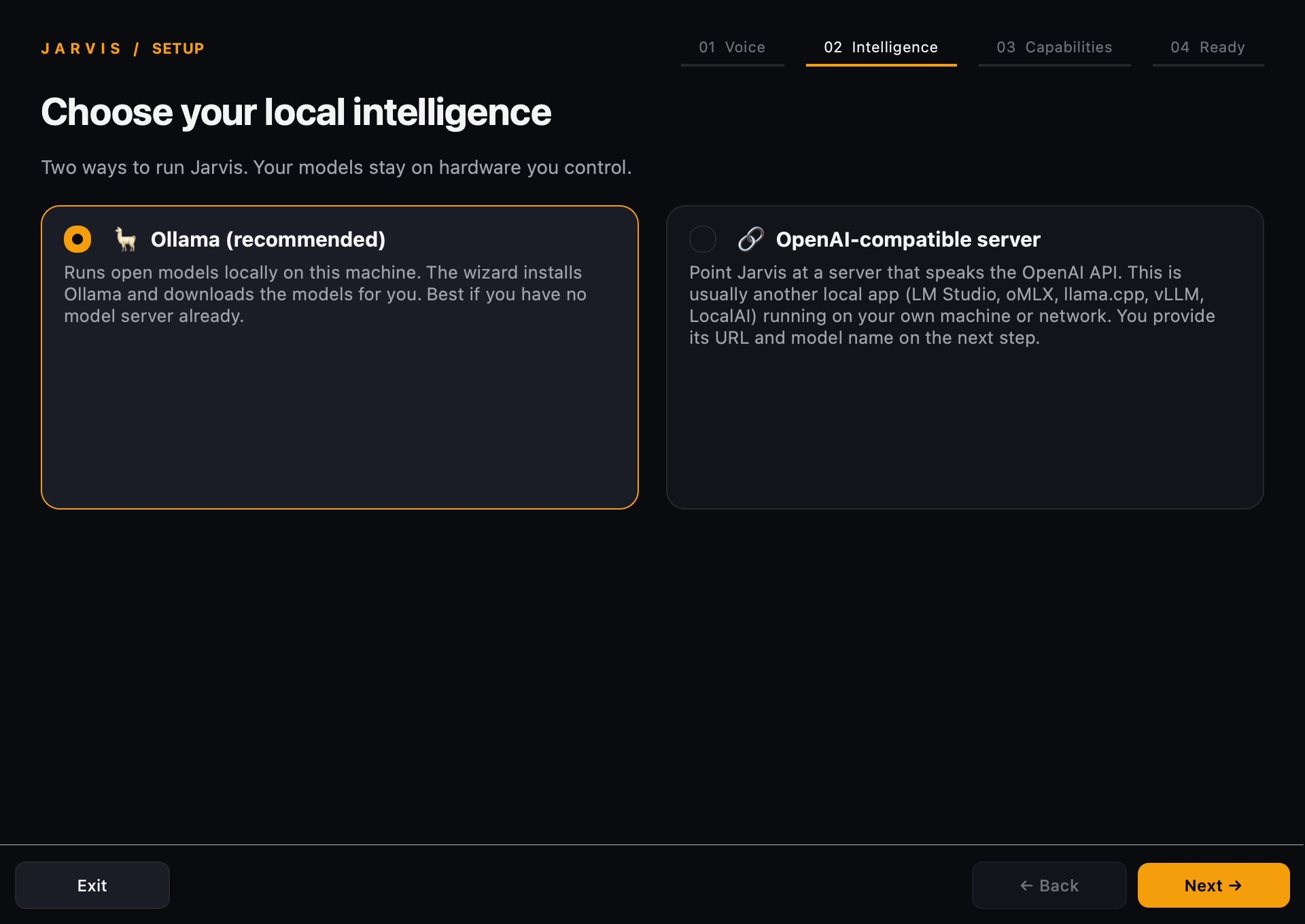
Allow microphone access and let the initial model downloads finish. When Jarvis reports that it is listening, try:
“Jarvis, help me think through my day.”
Right-click the floating face or use the tray menu to open Chat. Text replies are silent. Settings lets you choose models, speech recognition, voices and connected tools.
You can pause voice listening while continuing to use chat. Dictation uses a separate hold-to-record shortcut where supported. Dictation is unavailable on macOS 26+; Linux dictation requires X11, with limited Wayland support.
Configuration & troubleshootingFind clear answers about offline use, saved memory, hardware and licensing.
Privacy & questions